August 28, 2026
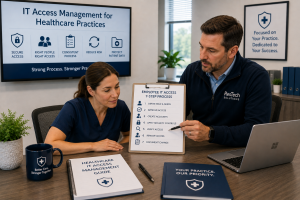 Hiring and terminating employees are routine parts of running a healthcare practice, but each change creates an important technology and security responsibility: making sure the right people have access to the right systems at the right time, and removing that access when they no longer need it.
For most healthcare practices, employee IT access should follow a documented 7-step process: define the employee's role, approve required access, create individual accounts, apply security controls, verify access, remove access promptly when employment ends, and document the change.
This process can cover Microsoft 365, electronic health record (EHR) systems, practice-management software, cloud applications, computers, remote-access tools, file storage, and other systems employees use.
For Houston healthcare practices handling electronic protected health information (ePHI), consistent access management also supports the administrative and technical safeguards required under HIPAA.
Why Employee Access Management Matters in Healthcare
Every employee account represents potential access to business systems and, depending on the person's responsibilities, patient information.
Problems can occur when practices:
- Give employees more access than their jobs require
- Share accounts between employees
- Forget to disable accounts when someone leaves
- Allow former employees to retain remote or cloud access
- Create accounts without appropriate security controls
- Fail to periodically review who has access to sensitive systems
The goal is not to make technology difficult for employees to use. It is to provide appropriate access based on each person's responsibilities while reducing unnecessary exposure of patient and business information.
A repeatable onboarding and offboarding process helps accomplish that.
The 7-Step Employee IT Access Process for Healthcare Practices
Step 1: Define the Employee's Role and Technology Requirements
Access management should begin before an account is created.
Determine what the employee actually needs based on the person's position and responsibilities.
For example, a physician, medical assistant, front-desk employee, billing specialist, and practice administrator may require very different levels of access.
Create a role-based checklist that identifies the systems typically required for each position, such as:
- EHR and practice-management systems
- Microsoft 365
- Shared files and folders
- Billing or accounting applications
- Medical applications
- Remote-access systems
- Printers and other network resources
This provides a repeatable starting point instead of deciding access from scratch for every new employee.
Step 2: Approve Access Before Creating Accounts
The person creating an account should not have to guess what access an employee needs.
A designated manager or practice administrator should approve access based on the employee's job responsibilities.
This is especially important for systems containing ePHI or other sensitive information.
Healthcare practices should follow the principle of least privilege: employees receive the minimum access reasonably necessary to perform their jobs.
For example, a front-desk employee may need scheduling and demographic information but may not require the same access as a physician or billing manager.
Step 3: Create Individual Accounts and Apply Security Controls
Every employee should have an individual account whenever the system supports it.
Avoid shared usernames and passwords because they make it difficult to determine who accessed or changed information.
New accounts should also receive the practice's required security controls. Depending on the system, these may include:
- Multi-factor authentication (MFA) or passkeys
- Appropriate password policies
- Conditional Access policies
- Device-management requirements
- Restrictions on administrative privileges
- Appropriate email and security policies
Access should be tied to the employee, not simply to the computer the employee uses.
Step 4: Verify Access Before the Employee Begins Work
Creating an account does not mean onboarding is finished.
Before the employee begins using the systems, verify that:
- Required accounts work correctly.
- MFA or other authentication methods are configured.
- The employee can access the systems needed for the job.
- The employee cannot access systems or information outside the approved role.
- Company-owned devices are properly configured and secured.
This simple verification can prevent both first-day productivity problems and unnecessary access.
For a new employee starting Monday morning, testing accounts beforehand is far better than discovering at 8:00 a.m. that the employee cannot access the EHR or has access to information they should not see.
Step 5: Review and Adjust Access When Responsibilities Change
Access management does not end after onboarding.
Employees may change positions, receive promotions, take on additional responsibilities, or move between departments.
When that happens, review their existing permissions rather than simply adding more access.
For example, an employee moving from front-desk operations into billing may need new financial-system permissions. However, some access associated with the former role may no longer be necessary.
Without this step, employees can gradually accumulate permissions over several years that no longer reflect their responsibilities.
Healthcare practices should also conduct periodic access reviews to identify unnecessary or outdated permissions.
Step 6: Remove Access Promptly When an Employee Leaves
Employee offboarding should be coordinated between management and whoever manages the practice's technology.
For planned departures, IT should know the employee's final date and the specific time access should end.
For involuntary terminations or higher-risk situations, access may need to be disabled simultaneously with or immediately before the termination meeting.
The offboarding process should address all relevant systems, including:
- Microsoft 365 and email
- EHR and practice-management systems
- Cloud applications
- VPN and remote access
- File-storage systems
- Business applications
- Administrative accounts
- Company computers, phones, tablets, keys, or access devices
Simply disabling the employee's Windows login is not sufficient if the person can still access email, cloud applications, or other systems remotely.
The practice should also determine how the former employee's business email and files will be preserved or reassigned.
Step 7: Document the Change and Confirm Completion
The final step is verification.
Maintain a record showing which accounts were created, modified, or disabled; who approved the access; when the change occurred; and who completed it.
For an employee departure, the person responsible for offboarding should confirm that all known access has been addressed, rather than assuming someone else handled it.
Documentation provides accountability and gives the practice a record it can reference during security reviews, HIPAA risk assessments, or future investigations.
Example: Offboarding an Employee from a Houston Medical Practice
Consider a 25-employee medical practice where a billing employee resigns with two weeks' notice.
Instead of sending IT a message on the employee's last afternoon, the practice administrator notifies its managed IT provider when the resignation is received.
Together, they identify the employee's Microsoft 365 account, workstation, remote access, shared folders, billing applications, and other technology access.
A specific termination time is established. At that time, accounts are disabled, active sessions are addressed, company equipment is collected, and business email and files are retained according to the practice's requirements.
The completed offboarding checklist gives the practice confirmation that the employee's technology access has been addressed.
That is much safer than relying on someone to remember every account after the employee has already left.
Who Should Be Responsible for Employee IT Access?
Access management should be a shared process between practice management and IT.
Practice management determines what an employee's role requires and authorizes access. The internal IT team or managed IT provider implements the approved changes, applies security controls, and verifies that accounts have been properly created, modified, or disabled.
Neither side should operate independently.
IT may understand the technology, but management understands the employee's responsibilities.
Common Employee Access Management Mistakes
Some of the most common problems we see practices needing to prevent include:
- Not notifying IT about new employees until their first day
- Not notifying IT promptly when employees leave
- Sharing accounts between multiple employees
- Giving users local or system administrator privileges unnecessarily
- Continuing to add permissions without removing old ones
- Forgetting about cloud applications and remote access during offboarding
- Failing to document completed access changes
A written onboarding and offboarding checklist can eliminate much of this inconsistency.
FAQs About Employee IT Access in Healthcare
How quickly should IT access be removed when a healthcare employee leaves?
Access should generally be removed when the employee's authorization to access the practice's systems ends. For a normal planned departure, that may be at the end of the employee's final working day. For an involuntary termination or security concern, access may need to be disabled immediately in coordination with management.
Should healthcare employees share accounts?
Individual accounts should be used whenever the system supports them. Shared accounts reduce accountability because it becomes more difficult to determine which employee performed a particular action.
Should healthcare employees have access to every system their department uses?
No. Access should be based on the employee's specific job responsibilities rather than simply their department or position. Healthcare practices should follow the principle of least privilege, giving each employee only the access reasonably necessary to perform their job.
When an employee changes roles or responsibilities, existing access should also be reviewed. Permissions that are no longer required should be removed rather than continually adding new access over time.
What happens to a former employee's email?
Disabling someone's access does not necessarily mean immediately deleting the mailbox. The practice may need to retain business communications, provide appropriate access to another authorized employee, or preserve information according to organizational and legal requirements.
Should healthcare practices periodically review employee access?
Yes. Periodic reviews can identify accounts that are no longer needed, excessive permissions, former employees who were not properly offboarded, and access that no longer matches an employee's current responsibilities.
Final Thoughts
Employee access management should not depend on someone remembering which accounts to create or disable.
A documented 7-step onboarding, access-management, and offboarding process gives healthcare practices a repeatable way to provide employees with the technology they need while reducing unnecessary access to patient and business information.
For Houston healthcare practices, the process should connect management, IT, security, and HIPAA responsibilities rather than treating employee onboarding and termination as purely administrative tasks.
Specificity matters: know who has access, understand why they have it, and have a documented process for changing or removing that access when circumstances change.
About ResTech Solutions
ResTech Solutions helps healthcare practices throughout the Houston area manage and secure their technology through proactive managed IT services, cybersecurity, Microsoft 365 management, and ongoing technology support.
With more than 10 years of experience supporting healthcare practices, ResTech understands that effective IT support requires more than simply creating or disabling user accounts. We help practices build consistent onboarding and offboarding processes, manage user access, apply appropriate security controls, and reduce the risk of former or current employees having unnecessary access to business systems and patient information.
If you're unsure whether your healthcare practice has a consistent process for managing employee IT access, schedule a no-obligation discovery call with ResTech Solutions. We'll review your current onboarding and offboarding approach, answer your questions, and help you identify practical ways to improve security, accountability, and access management.