July 31, 2026
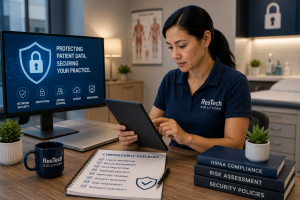 Cyberattacks against healthcare organizations continue to increase, and medical practices remain attractive targets because they store valuable patient information, financial data, and rely on critical systems such as electronic health records (EHRs), scheduling software, and billing platforms.
While no organization can eliminate every cybersecurity risk, implementing a strong set of foundational security controls can significantly reduce your chances of experiencing ransomware, data breaches, or costly downtime.
This checklist outlines 25 essential cybersecurity controls every healthcare practice should have in place. Whether you manage technology internally or partner with a managed IT provider, these safeguards can help strengthen your security posture while supporting your HIPAA compliance efforts.
Why Healthcare Cybersecurity Requires Multiple Layers
There isn't a single product or piece of software that makes a medical practice secure.
Effective cybersecurity relies on multiple layers working together to protect users, devices, networks, and patient data.
Think of it like locking a building. A front door lock is important, but you also want security cameras, alarms, good lighting, secure windows, and policies that control who has access.
Healthcare cybersecurity works the same way.
User Security Controls
Your employees are often the first line of defense against cyber threats.
1. Multi-Factor Authentication (MFA)
Require MFA for Microsoft 365, remote access, email, and any application containing sensitive information.
2. Strong Password Policies
Require long, unique passwords and discourage password reuse.
3. Role-Based Access
Employees should only have access to the systems and information required for their job responsibilities.
4. Prompt User Offboarding
Immediately disable accounts when employees leave the organization.
5. Security Awareness Training
Provide ongoing education to help employees recognize phishing emails, social engineering, and other common cyber threats.
Device Security Controls
Every workstation, laptop, and server should be actively managed.
6. Endpoint Detection and Response (EDR)
Deploy advanced endpoint protection capable of identifying and responding to suspicious activity.
7. Automated Patch Management
Install operating system and software updates promptly to reduce known vulnerabilities.
8. Device Encryption
Encrypt laptops and other portable devices to protect patient information if equipment is lost or stolen.
9. Centralized Device Monitoring
Monitor systems continuously to identify hardware failures, security issues, and performance problems.
10. Standardized Device Configurations
Use consistent security settings across all workstations and servers.
Network Security Controls
Your network forms the backbone of your technology environment.
11. Business-Grade Firewall
Use a professionally managed firewall configured with current security best practices.
12. Secure Wi-Fi Networks
Separate guest wireless access from your internal business network.
13. Secure Remote Access
Use encrypted VPNs or other secure remote access solutions with MFA enabled.
14. Network Segmentation
Separate medical devices, servers, guest devices, and business systems whenever practical.
15. DNS and Web Filtering
Block access to known malicious websites before users can reach them.
Data Protection Controls
Protecting patient information requires more than simply storing data.
16. Encrypted Backups
Maintain secure, encrypted backups of critical systems and data.
17. Backup Testing
Regularly verify that backups can actually be restored.
18. Email Security Protection
Deploy advanced spam filtering, phishing protection, and malicious attachment scanning.
19. Disaster Recovery Planning
Develop documented procedures for recovering systems after cyber incidents or hardware failures.
20. Data Retention Policies
Establish procedures for securely retaining and disposing of electronic data.
Operational Security Controls
Technology alone isn't enough.
Healthcare organizations also need repeatable security processes.
21. Continuous Security Monitoring
Review alerts and monitor systems for suspicious activity around the clock.
22. Vulnerability Assessments
Regularly scan your environment to identify security weaknesses before attackers do.
23. Incident Response Plan
Document who does what if your organization experiences a cybersecurity event.
24. Vendor Risk Management
Review the security practices of vendors who access or store sensitive information.
25. Regular HIPAA Security Risk Assessments
Periodically evaluate your environment to identify risks and prioritize security improvements.
A Security Risk Assessment is one component of an effective cybersecurity program, but it should be supported by the additional technical and operational controls discussed throughout this checklist.
How Many of These Controls Should You Have?
The answer is simple.
All 25.
Some controls may require more planning or investment than others, but together they create multiple layers of protection that significantly strengthen your overall security posture.
Organizations that rely on only one or two security tools leave unnecessary gaps that attackers often exploit.
Signs Your Practice May Have Security Gaps
You may want to review your cybersecurity program if:
- Employees don't use multi-factor authentication.
- Computers aren't updated regularly.
- Backups have never been tested.
- User accounts remain active after employees leave.
- No one monitors systems after business hours.
- Staff haven't received recent cybersecurity training.
- Your firewall hasn't been professionally reviewed.
- You don't have a documented incident response plan.
- Your last HIPAA Security Risk Assessment was several years ago.
Even one or two of these issues can increase your organization's risk.
Frequently Asked Questions
Does HIPAA require every item on this checklist?
HIPAA requires covered entities to implement reasonable and appropriate administrative, physical, and technical safeguards. While the regulations don't prescribe a specific checklist, these controls reflect widely accepted cybersecurity best practices that help organizations meet those obligations.
Is antivirus software enough?
No.
Traditional antivirus software remains useful, but modern cyber threats often require multiple layers of protection, including endpoint detection, email security, backups, monitoring, and user training.
How often should we review our cybersecurity controls?
Your cybersecurity program should be reviewed continuously. Security technologies, threats, and business requirements evolve over time, making regular assessments and updates essential.
Can a managed IT provider help implement these controls?
Yes.
Many managed IT providers help healthcare organizations deploy, monitor, and maintain these security controls as part of a broader cybersecurity strategy. The specific services included will vary by provider, so it's important to review your managed IT agreement carefully.
Final Thoughts
Cybersecurity isn't achieved by installing a single product or checking a single box.
It requires a layered strategy that protects your users, devices, networks, and patient data while preparing your organization to respond effectively when new threats emerge.
By implementing these 25 security controls, healthcare practices can reduce risk, improve operational resilience, and build a stronger foundation for protecting patient information and supporting HIPAA compliance.
About ResTech Solutions
ResTech Solutions helps healthcare organizations throughout the Houston area strengthen their cybersecurity through proactive managed IT services, advanced security technologies, continuous monitoring, and compliance-focused IT support.
Our team works with medical practices to identify security gaps, implement layered protections, and build long-term cybersecurity strategies that support both patient care and business continuity.
If you'd like to evaluate your organization's cybersecurity posture, schedule a no-obligation discovery call with ResTech Solutions. We'll discuss your current environment, answer your questions, and help you identify practical opportunities to strengthen your security and reduce risk.