September 7, 2026
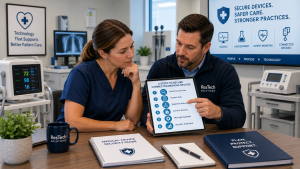 Connected medical devices can improve patient care, efficiency, and access to clinical information, but they can also introduce cybersecurity risks that healthcare practices may overlook.
A healthcare practice should use a 6-step medical device security framework: identify connected devices, assess their risks, segment them from other systems, control access, maintain updates and vendor support, and continuously monitor the environment. The goal is to reduce the likelihood that a vulnerable or compromised device can provide an entry point into the practice's broader network or interfere with patient care.
For healthcare practices, securing connected medical devices requires coordination between practice leadership, clinical staff, the managed IT provider, and the medical device vendor. No single party should assume another organization is handling every aspect of device security.
Why Connected Medical Devices Create Unique Cybersecurity Risks
Medical devices are increasingly connected to networks, computers, cloud services, and other healthcare systems.
Depending on the type of practice, connected devices might include:
- Diagnostic equipment
- Imaging systems
- Patient monitoring devices
- Laboratory equipment
- Infusion or treatment equipment
- Medical equipment connected to workstations
- Devices that transmit information to an EHR or cloud platform
- Specialized clinical systems with network connectivity
Unlike a typical business computer, some medical devices may remain in service for many years. They may run specialized software, depend on vendor-controlled updates, or have restrictions on what the practice's IT provider can change without affecting support or device functionality.
That makes medical device security both a technology issue and a lifecycle-management issue.
The 6-Step Medical Device Risk Reduction Framework
Step 1: Build an Inventory of Connected Medical Devices
Healthcare practices cannot properly secure devices they do not know are connected to their environment.
Start by creating and maintaining an inventory of network-connected medical equipment.
At minimum, the inventory should identify information such as:
- Device type
- Manufacturer
- Model
- Physical location
- Network connection
- Responsible department
- Software or operating system version, when available
- Vendor support information
- Manufacturer end-of-support date
- Planned replacement date
The inventory should also identify who is responsible for supporting each device.
This is particularly important when clinical equipment is installed directly by a medical device vendor. A vendor technician may connect equipment to the practice's network, but the managed IT provider still needs to understand that the device exists and how it communicates.
New medical devices should therefore go through a technology review before they are connected to the production network whenever possible.
Step 2: Assess the Risk of Each Device
Not every connected medical device creates the same level of risk.
Healthcare practices should evaluate devices based on factors such as:
- Whether the device stores or transmits patient information
- Whether it connects to the internet
- Which other systems it communicates with
- Whether vendor support is still available
- Whether security updates are available
- Whether the device uses an outdated operating system
- What would happen if the device became unavailable
- Whether compromise could affect other systems on the network
This allows the practice to prioritize its security efforts.
For example, an actively supported device on a restricted network may present a very different risk from an older device running unsupported software with broad access to the practice's internal network.
The objective is not simply to label every connected device as dangerous.
It is to understand which devices create the greatest potential operational, security, and patient-care impact.
Step 3: Separate Medical Devices from Other Network Systems
One of the most important ways to reduce medical device risk is to limit where devices can communicate.
A medical device generally should not have unrestricted access to every computer, server, printer, wireless device, and other resource on the practice's network simply because everything is located in the same office.
Network segmentation can separate medical devices from other portions of the business network and restrict communication to only what is necessary.
For example, a device may need to communicate with a specific server or cloud service but have no legitimate reason to communicate directly with front-desk computers.
Appropriate segmentation can help limit how far an attacker could move through the environment if a device or another system becomes compromised.
The exact network design will depend on the device and vendor requirements, so segmentation should be planned carefully rather than applied without understanding how the equipment operates.
Step 4: Control Access to Medical Devices and Their Management Systems
Access to medical devices and related management systems should be limited to authorized users.
Depending on the equipment, security controls may include:
- Unique user accounts
- Strong passwords
- Multi-factor authentication when supported
- Restricted administrative access
- Removal or replacement of default credentials
- Role-based permissions
- Secure vendor remote access
- Logging of administrative activity
Shared or default accounts deserve particular attention.
If multiple employees or vendors use the same administrative credentials, it becomes much more difficult to determine who accessed a device or changed its configuration.
Vendor access should also be reviewed.
A medical device vendor may legitimately require remote connectivity for maintenance or troubleshooting, but that access should not automatically provide unrestricted entry into the rest of the practice's network.
Step 5: Manage Updates, Vulnerabilities, and Device Lifecycles
Medical devices should be included in the practice's broader technology lifecycle planning.
However, updating a medical device is not always as simple as updating a normal computer.
The manufacturer may control firmware or software updates, and making unauthorized changes could affect functionality, support, or warranties. Practices should coordinate security updates and configuration changes with the appropriate device vendor.
For each connected medical device, determine:
- Is the device still supported by the manufacturer?
- Are security updates available?
- Who is responsible for installing updates?
- How are known vulnerabilities communicated?
- Does the device depend on an outdated operating system?
- When should the device be replaced?
If a device cannot be updated or replaced immediately, the practice and its managed IT provider should evaluate compensating security controls, such as tighter network restrictions or additional monitoring.
Unsupported devices should not simply remain connected indefinitely without a documented plan.
Step 6: Monitor Medical Devices and Review Security Regularly
Medical device security is not a one-time project.
The environment changes as devices are added, replaced, updated, moved, or connected to new services.
Healthcare practices should monitor their networks for unexpected devices and suspicious activity where technically appropriate. They should also periodically compare what is actually connected to the network against the documented device inventory.
Regular reviews should look for issues such as:
- Unknown or newly connected devices
- Devices communicating with unexpected systems
- Unsupported equipment
- Failed or missing security updates
- Unnecessary vendor access
- Changes to network configurations
- Devices that should have been removed from service
A practical approach is to review the connected medical device inventory at least annually and whenever significant equipment is added or replaced.
Higher-risk devices may require more frequent review based on their function, connectivity, and potential impact.
Example: An Older Medical Device in a Houston Specialty Practice
Consider a Houston specialty practice that relies on a network-connected diagnostic device installed several years ago.
During a technology review, the managed IT provider discovers that the device runs an older operating system and communicates across the same network used by employee computers.
The practice cannot immediately replace the equipment because it remains clinically necessary and replacement requires budgeting and vendor coordination.
Instead of ignoring the risk, the practice takes several steps.
The medical device vendor is contacted to confirm available updates and support options. The managed IT provider restricts the device to an appropriate network segment and limits its communication to required systems. Vendor remote access is reviewed, and the device is added to the practice's technology replacement plan.
The older device has not suddenly become risk-free.
But the practice has identified the risk, reduced unnecessary exposure, and created a plan for addressing it.
Who Is Responsible for Medical Device Cybersecurity?
Medical device security is typically a shared responsibility.
The medical device manufacturer or vendor understands the equipment, approved software, available updates, and support requirements.
The managed IT provider understands the practice's network, cybersecurity controls, user access, monitoring, and other connected systems.
The healthcare practice determines how the device is used, who needs access, how important it is to patient care, and what operational risks are acceptable.
These parties need to communicate.
A vendor installing a new network-connected device without involving IT can create unnecessary risk. Likewise, an IT provider should not make unsupported changes to specialized clinical equipment without understanding the manufacturer's requirements.
Common Connected Medical Device Security Mistakes
Healthcare practices should avoid several common problems:
- Not maintaining an inventory of connected medical devices
- Allowing vendors to connect equipment without involving IT
- Placing medical devices on unrestricted business networks
- Leaving default or shared credentials in place
- Providing vendors with unnecessary remote access
- Assuming medical device vendors handle all cybersecurity responsibilities
- Ignoring outdated or unsupported device software
- Making device changes without coordinating with the manufacturer
- Keeping obsolete equipment connected without a replacement or risk-reduction plan
The goal is not to make every medical device operate like a standard business computer.
It is to understand its limitations and build appropriate security controls around those limitations.
FAQs About Connected Medical Device Security
Should medical devices be on the same network as employee computers?
Generally, connected medical devices should be appropriately segmented from other business systems whenever technically feasible. The appropriate configuration depends on how the device communicates and the manufacturer's requirements.
Who should install security updates on a medical device?
Healthcare practices should follow the medical device manufacturer's requirements for updates and maintenance. The device vendor and managed IT provider may need to coordinate so security improvements do not interfere with the equipment's functionality or support.
What should a practice do if a medical device cannot be updated?
The practice should evaluate the risk with its device vendor and managed IT provider. If an immediate update or replacement is not possible, controls such as network segmentation, restricted access, additional monitoring, and a documented replacement plan can help reduce exposure.
How often should healthcare practices review connected medical devices?
Healthcare practices should review their medical device inventory at least annually and whenever devices are added, replaced, or significantly changed. Higher-risk or unsupported devices may require more frequent review.
Should IT be involved before purchasing a new connected medical device?
Yes. Involving the managed IT provider before purchase can help identify network, security, connectivity, support, and infrastructure requirements before the equipment arrives. This can prevent security problems and unexpected technology costs during installation.
Final Thoughts
Connected medical devices require a different security approach from ordinary computers, but they should not exist outside the practice's cybersecurity strategy.
A practical 6-step framework is:
- Inventory connected medical devices.
- Assess the risk of each device.
- Segment medical devices from unnecessary network access.
- Control user, administrator, and vendor access.
- Manage updates, vulnerabilities, and device lifecycles.
- Monitor the environment and review security regularly.
The objective is not to eliminate every possible risk. It is to know what is connected, understand where the greatest risks exist, and apply practical controls that reduce the likelihood that one vulnerable device creates a larger problem for the practice.
About ResTech Solutions
ResTech Solutions helps healthcare practices throughout the Houston area manage and secure their technology through proactive managed IT services, cybersecurity, network management, Microsoft 365 management, and ongoing technology support.
With more than 10 years of experience supporting healthcare practices, ResTech understands that connected medical devices require coordination between clinical technology vendors and the broader IT environment. We help practices identify connected devices, evaluate network risks, implement appropriate segmentation and access controls, and incorporate aging technology into long-term planning.
If you're unsure what medical devices are connected to your healthcare practice's network or whether they are appropriately protected, schedule a no-obligation discovery call with ResTech Solutions. We'll review your current environment, answer your questions, and help you identify practical ways to reduce connected-device risk without disrupting patient care.