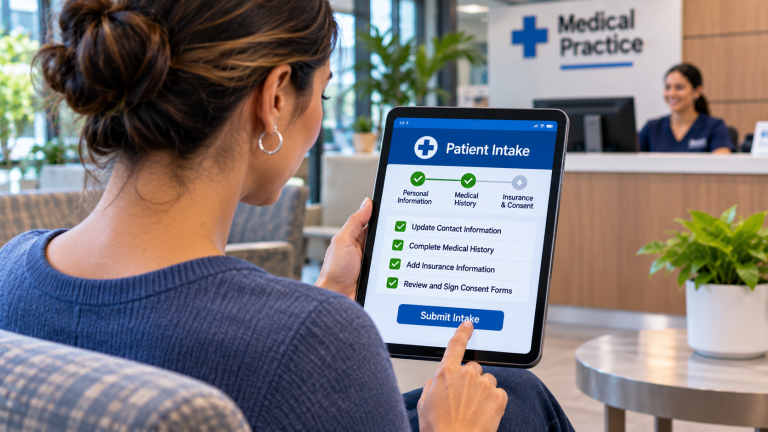
A small healthcare practice needs more than a webcam and a video conferencing application to offer reliable telehealth services. The essential technology includes a suitable telehealth platform, dependable internet connectivity, appropriate computers and audiovisual equipment, cybersecurity protections, EHR integration, patient access tools, staff workflows, technical support, and a backup communication plan.
For an independent medical practice with 10 to 25 employees, the best approach is to evaluate the technology already available, identify what is missing, and test the complete virtual visit experience before offering appointments to patients.
A practice may not need to replace its existing EHR or purchase an entirely new technology environment. Some EHR platforms already include telehealth capabilities, while others integrate with separate virtual care applications.
The following nine-point checklist helps Practice Administrators determine whether their practice is technically ready to offer telehealth and what to verify before investing in additional equipment or software.
Why Does Telehealth Require More Planning Than a Video Call?
Telehealth allows healthcare providers to deliver certain services remotely using electronic communication technologies.
Although video appointments are a common example, telehealth can also include other types of remote clinical interactions, depending on the service and applicable requirements.
For a small medical practice, the technology must support more than connecting a provider and patient.
The practice may need to:
- Schedule a virtual appointment
- Verify patient identity and relevant information
- Collect required forms and acknowledgments
- Provide secure access to the appointment
- Support communication between the provider and patient
- Document the encounter in the EHR
- Manage prescriptions, referrals, or follow-up activities
- Complete appropriate billing workflows
- Respond when technical problems interrupt the visit
Each activity may involve a different application or technology component.
For example, a video platform may work perfectly while employees struggle to document appointments or transfer information into the EHR.
Similarly, a provider may have reliable internet service while patients experience difficulty joining appointments from their smartphones.
Telehealth readiness means the complete workflow functions reliably, not simply that the video connection works.
What Are the 9 Technology Requirements for a Small Healthcare Practice to Offer Telehealth?
1. Does the Practice Have a Suitable Telehealth Platform?
The first requirement is a platform that supports the types of virtual care the practice intends to provide.
Some EHR systems include built-in telehealth functionality. Others connect to third-party applications.
The Practice Administrator should evaluate existing capabilities before purchasing a separate platform.
Important features may include:
- Secure video appointments
- Patient appointment links or invitations
- Virtual waiting rooms
- Provider and patient identity verification workflows
- Appointment scheduling integration
- Controls for admitting participants
- Appropriate session privacy settings
- Support for smartphones, tablets, and computers
- Accessibility features
- Technical assistance for patients and employees
The platform should also support the practice’s clinical and administrative requirements.
For example, a practice that primarily conducts follow-up consultations may have different needs from one that provides behavioral health services or coordinates visits involving multiple participants.
Should the Practice Use Its EHR’s Telehealth Platform or a Separate Application?
| Consideration | EHR-Integrated Telehealth | Separate Telehealth Platform |
| Scheduling | May use existing appointment workflows | May require integration |
| Patient records | Often closely connected to the EHR | May require separate documentation |
| Employee training | May use familiar applications | Introduces another application |
| Features | Depends on the EHR vendor | May offer specialized capabilities |
| Vendor support | May be handled through the EHR provider | May involve another vendor |
| Costs | May be included or require an add-on | May require separate licensing |
Neither option is automatically better.
A separate platform may be appropriate when the existing EHR cannot support a required workflow.
However, adding another application can increase integration complexity, security responsibilities, and support requirements.
What to ask the vendor: Can you demonstrate a complete telehealth appointment using our existing EHR and scheduling process, including what happens before, during, and after the visit?
The practice should also verify whether the platform is appropriate for its intended clinical services and applicable privacy requirements.
2. Is the Internet Connection Reliable Enough for Virtual Appointments?
Telehealth video appointments depend on consistent connectivity.
A practice may have sufficient internet speed for ordinary office activities but still experience interruptions during real-time video calls.
Important performance factors include:
- Download speed
- Upload speed
- Latency
- Packet loss
- Connection stability
- Network congestion
- Simultaneous application usage
Upload performance is especially important because the provider’s camera and microphone must transmit information to the patient.
The practice should also consider how many providers may conduct virtual appointments simultaneously.
For example, a practice with two providers conducting video visits while employees use cloud applications and telephone services may have different network requirements from a practice conducting only occasional virtual appointments.
How Much Internet Bandwidth Does Telehealth Require?
There is no universal bandwidth requirement for every telehealth platform.
Requirements vary by application, video quality, number of participants, and other network conditions.
As an illustrative planning example, consider a platform that recommends approximately 3 Mbps of upload capacity per high-quality video session.
Three simultaneous sessions would represent approximately 9 Mbps of application upload demand before accounting for other network activity and operational headroom.
This is not a universal telehealth bandwidth requirement. The practice should obtain the actual requirements from its selected platform and test performance under realistic conditions.
The important question is whether the connection remains reliable when the office is operating normally.
What to ask the provider: Can our existing internet connection and network reliably support the expected number of simultaneous telehealth appointments while employees continue using other business applications?
The practice should also understand what happens when internet service becomes unavailable.
3. Do Providers Have the Right Computers, Cameras, Microphones, and Workspace?
Telehealth does not always require specialized computer hardware.
However, providers need equipment that delivers clear audio, usable video, and reliable application performance.
The practice should evaluate:
- Supported computers or tablets
- Appropriate operating system versions
- Webcams with sufficient image quality
- Microphones that capture speech clearly
- Speakers or headsets
- Adequate lighting
- Secure workstation access
- Appropriate display size
- Privacy within the physical workspace
Audio quality is particularly important.
Patients and providers need to understand each other clearly. A high-resolution camera provides limited value if background noise or poor microphone quality makes conversation difficult.
A headset may help in certain environments, especially when providers work near other employees.
The physical environment also matters.
For example, a provider conducting a virtual visit from a shared administrative area may unintentionally expose patient information to nearby employees or visitors.
A private room with appropriate lighting and limited background noise may be more suitable.
Example Equipment Checklist for One Telehealth Workstation
| Component | What to Verify |
| Computer | Meets the telehealth platform’s supported requirements |
| Camera | Produces clear video under normal office lighting |
| Microphone | Captures speech without excessive background noise |
| Audio output | Allows the provider to hear patients clearly |
| Display | Supports the video visit and required clinical workflows |
| Network connection | Provides reliable connectivity |
| Workspace | Offers appropriate privacy and lighting |
| Security | Uses approved access controls and maintained software |
The practice should test the equipment in the actual room where virtual visits will occur.
What to ask the technology provider: Can our existing workstations support telehealth reliably, or do we need targeted upgrades to cameras, audio equipment, or computers?
Replacing every workstation may be unnecessary if existing equipment meets the requirements.
4. Are the Telehealth Platform and Supporting Systems Appropriately Secured?
Telehealth introduces additional ways for patient information to be accessed, transmitted, and potentially exposed.
A healthcare practice should evaluate the security of the telehealth platform and the devices used to access it.
Important safeguards include:
- Appropriate encryption
- Secure user authentication
- Multifactor authentication where supported and appropriate
- Role-based access controls
- Secure appointment invitations
- Controls for admitting participants
- Device security and updates
- Audit logging where available
- Secure handling of clinical documentation
- Session privacy settings
- Vendor access controls
- Security incident response procedures
The practice should also verify whether the telehealth vendor will enter into an appropriate Business Associate Agreement (BAA).
When a vendor acts as a business associate by creating, receiving, maintaining, or transmitting protected health information (PHI) on behalf of a HIPAA-covered practice, an appropriate BAA is required.
However, signing a BAA does not automatically establish HIPAA compliance.
The practice must still evaluate its configuration, employee procedures, device security, and handling of patient information.
For example, an employee should not use an unapproved personal video conferencing account for a clinical appointment simply because the application is familiar.
Similarly, recording virtual appointments should not be enabled without appropriate policies addressing consent, storage, access, retention, and applicable legal requirements.
What to ask the vendor: How is patient information protected during telehealth appointments, what data does your platform store, and which security responsibilities belong to our practice?
The Practice Administrator should involve the appropriate privacy and security personnel in the evaluation.
5. Will Telehealth Work With the Practice’s EHR, Scheduling, and Billing Systems?
A telehealth platform should support the practice’s existing clinical and administrative workflows.
A video visit is only one part of a patient encounter.
The practice may also need to:
- Schedule the appointment
- Confirm patient information
- Collect relevant forms
- Document the encounter
- Update the patient record
- Record charges
- Manage follow-up activities
- Complete appropriate billing processes
If the telehealth platform is disconnected from the EHR and practice management system, employees may need to enter information manually.
For example, a virtual appointment might appear in the telehealth application but not in the practice’s normal scheduling calendar.
That can create confusion about appointment status, provider availability, and documentation.
Important integration questions include:
- Can virtual appointments be scheduled through the existing system?
- Are appointment links generated automatically?
- Can patients access visits through the patient portal?
- Does the EHR identify the encounter as a telehealth visit?
- Can providers document the appointment within their normal workflow?
- Does relevant appointment status information synchronize?
- Can billing personnel identify the services provided?
- What happens when an appointment is canceled or rescheduled?
Not every platform supports all these capabilities.
What to ask the vendor: Can you demonstrate the workflow from scheduling a telehealth appointment through clinical documentation and the appropriate billing process using our existing software?
The practice should distinguish between an advertised integration and the specific functions that are actually supported.
6. Can Patients Join Appointments Without Unnecessary Technical Difficulties?
Telehealth readiness includes the patient’s experience.
A platform that works well for employees may still be difficult for patients to use.
Patients may connect using smartphones, tablets, laptops, or desktop computers.
They may also have different levels of comfort with technology.
The practice should evaluate whether patients can:
- Receive clear appointment instructions
- Open the appointment link
- Join using supported devices
- Grant camera and microphone permissions
- Test their audio and video
- Identify when the provider is ready
- Reconnect after an interruption
- Contact the practice when assistance is needed
Some platforms allow patients to join through a web browser, while others require an application.
The practice should verify which approach its selected platform uses.
For example, a patient may click an appointment link on a smartphone but discover that the application needs permission to access the microphone.
If the patient cannot resolve the issue, the appointment may start late or require rescheduling.
What Should Patients Receive Before a Virtual Appointment?
A practical patient instruction message may include:
- The appointment date and time, including the time zone when relevant.
- Instructions for joining the appointment.
- Supported devices and browser or application requirements.
- A reminder to use a private, appropriately quiet location.
- Instructions for testing the camera and microphone.
- A telephone number to call if technical assistance is needed.
The practice should also consider patients who need language assistance, accessibility accommodations, or support from an authorized caregiver.
What to ask the vendor: Can a patient unfamiliar with the platform join a virtual appointment from a smartphone without assistance, and what support is available when something goes wrong?
A simple patient experience can reduce avoidable interruptions and administrative work.
7. Have Employees Established Clear Telehealth Workflows?
Technology alone does not create an effective telehealth service.
Employees need to understand how virtual appointments fit into their existing responsibilities.
For example, reception personnel may need to confirm that a patient has received the appointment link.
Clinical employees may need to complete appropriate pre-visit activities.
Providers need to know how to document encounters and respond when a virtual appointment cannot continue.
The Practice Administrator should define responsibilities for:
- Scheduling telehealth appointments
- Confirming patient information
- Providing appointment instructions
- Collecting required forms
- Managing patient check-in
- Handling late arrivals
- Assisting with technical difficulties
- Documenting the encounter
- Coordinating follow-up activities
- Completing billing workflows
The practice should also establish procedures for situations in which telehealth is not appropriate for a particular patient or service.
Those clinical decisions belong to qualified healthcare professionals and should reflect applicable professional, payer, and regulatory requirements.
Example Telehealth Workflow
| Stage | Primary Activity | Typical Responsible Role |
| Scheduling | Confirm appointment type and provide instructions | Scheduling or reception |
| Pre-visit | Verify required information and forms | Authorized administrative or clinical staff |
| Check-in | Confirm patient readiness and follow practice procedures | Designated staff |
| Consultation | Conduct and document the encounter | Healthcare provider |
| Follow-up | Coordinate instructions, referrals, or future appointments | Appropriate clinical or administrative staff |
| Billing | Process the encounter according to applicable requirements | Billing personnel |
Responsibilities will vary by practice.
The important issue is ensuring that employees understand the process before virtual appointments begin.
What to ask internally: Can every employee involved in a telehealth appointment explain their responsibilities and what to do when the normal workflow is interrupted?
8. Who Will Provide Technical Support and Maintain the Telehealth Environment?
Telehealth may depend on several technology providers.
These can include:
- The telehealth software vendor
- The EHR vendor
- The practice management software vendor
- The internet service provider
- The IT Service Provider
- Computer and audiovisual equipment manufacturers
When something goes wrong, employees need to know who is responsible.
For example, a provider may be unable to join an appointment because of a workstation issue.
In another situation, the telehealth platform itself may be unavailable.
A third problem may involve a patient’s internet connection or device.
These situations require different troubleshooting approaches.
The practice should clarify:
- Who supports the telehealth application
- Who maintains computers and peripherals
- Who investigates office network problems
- Who coordinates with software vendors
- Who assists patients with joining appointments
- What support is available during appointment hours
- How unresolved issues are escalated
- Who maintains documentation and approved configurations
A provider offering telehealth software does not necessarily support the practice’s entire technology environment.
Similarly, an IT Service Provider may be able to troubleshoot network or workstation issues without controlling the telehealth vendor’s application.
What to ask the vendors: If a provider cannot connect to a scheduled appointment at 9:00 a.m., who investigates the problem, and how will our staff know whom to contact?
The practice should document support responsibilities before launching telehealth services.
9. What Happens When a Telehealth Appointment Cannot Continue?
Even a well-designed telehealth environment can experience technical failures.
Internet service may become unavailable, a patient’s device may lose connectivity, or the telehealth platform may experience an interruption.
The practice needs a contingency plan that addresses these possibilities.
Depending on clinical appropriateness and applicable requirements, options may include:
- Reconnecting to the same session
- Using an approved alternative device
- Switching to an authorized backup connection
- Continuing by telephone when permitted and clinically appropriate
- Rescheduling the appointment
- Arranging an in-person visit
- Following established emergency procedures when necessary
For example, a provider using a laptop may be able to reconnect through an approved cellular hotspot if the office internet connection fails.
However, that option depends on cellular coverage, device compatibility, security configuration, and whether the telehealth platform remains operational.
A backup internet connection will not resolve an outage affecting the telehealth vendor’s application.
The practice should also consider how staff will communicate with patients when the primary platform is unavailable.
Telehealth Contingency Planning Checklist
| Failure Scenario | Question to Address |
| Office internet outage | Is an approved backup connection available? |
| Provider workstation failure | Can another authorized device be used? |
| Telehealth platform outage | Is there an approved alternative workflow? |
| Patient connectivity problem | Can the appointment be continued appropriately or rescheduled? |
| Audio or video failure | What troubleshooting steps should employees follow? |
| Power outage | Which network and workstation components remain operational? |
| Clinical concern during interruption | What escalation or emergency procedures apply? |
What to ask internally: If a virtual appointment is interrupted, can employees explain the next step without improvising a process while the patient waits?
The contingency plan should be documented, communicated to employees, and tested when practical.
How Can a Healthcare Practice Determine Whether It Is Ready to Launch Telehealth?
The Practice Administrator can use the following checklist to evaluate readiness.
9-Point Telehealth Readiness Checklist
- Telehealth platform selected and tested
- Internet and network performance verified
- Provider equipment and private workspace prepared
- Security and privacy requirements reviewed
- EHR, scheduling, and billing workflows validated
- Patient joining instructions and assistance procedures established
- Employee responsibilities and training completed
- Vendor support and escalation contacts documented
- Backup communication and recovery procedures tested
A practice should not treat every item as complete simply because a vendor says the capability is available.
The relevant workflows should be demonstrated and tested in the practice’s actual technology environment.
Example: How Might a 15-Employee Houston Medical Practice Prepare for Telehealth?
Consider a hypothetical independent medical practice in Houston with 15 employees.
The practice wants to offer virtual follow-up appointments for services its providers determine are appropriate for telehealth.
It already uses a cloud-based EHR, has business internet service, and provides each provider with a computer.
The Practice Administrator begins with an assessment rather than immediately purchasing a separate telehealth platform.
The assessment identifies the following:
Existing capabilities:
- The EHR includes an optional telehealth module.
- Providers have computers capable of supporting video appointments.
- The practice has a suitable private room for virtual consultations.
- Existing scheduling workflows can accommodate additional appointment types.
Items requiring attention:
- Two workstations need improved microphones or headsets.
- The practice has not tested video performance during busy office hours.
- Employees need documented patient check-in procedures.
- The telehealth module’s security and contractual requirements need review.
- The practice has not established a process for interrupted appointments.
The Practice Administrator coordinates the required vendor reviews and technical testing.
The practice then conducts a limited pilot involving selected providers and appointment types.
During the pilot, it tracks connection problems, employee support requests, patient difficulties, and workflow issues.
Only after addressing significant problems does the practice expand its telehealth availability.
This is a hypothetical example, not an actual ResTech client engagement or documented result.
The lesson is that a practice may already have much of the technology needed for telehealth. The most important work may involve configuration, testing, employee training, and contingency planning rather than replacing equipment.
What Should a Small Healthcare Practice Budget for Telehealth Technology?
Telehealth costs vary based on existing equipment, software licensing, number of providers, integration requirements, and support arrangements.
A practice should distinguish between one-time implementation expenses and ongoing costs.
| Cost Category | Potential Expenses |
| Telehealth software | Subscription or EHR add-on licensing |
| Workstation equipment | Cameras, microphones, headsets, or computer upgrades |
| Internet connectivity | Additional capacity or backup service |
| Network infrastructure | Firewall, switching, or wireless improvements |
| Integration | EHR configuration or third-party interfaces |
| Security | Required security controls and related services |
| Implementation | Configuration, testing, and vendor coordination |
| Training | Employee instruction and patient support materials |
| Ongoing support | Technical assistance, maintenance, and troubleshooting |
Hypothetical First-Year Technology Budget
Consider a practice preparing two provider workstations for telehealth.
| Expense | Hypothetical Cost |
| Telehealth software, $100 per month | $1,200 |
| Two camera and headset upgrades | $400 |
| Initial configuration and testing | $750 |
| Employee training | $300 |
| Illustrative first-year total | $2,650 |
These amounts are hypothetical planning figures, not verified market prices or ResTech pricing.
They assume the practice already has suitable computers, internet service, network infrastructure, and an EHR that supports the intended workflow.
They also exclude potential additional security, integration, support, and backup connectivity expenses.
A practice requiring new computers, significant network upgrades, or specialized telehealth functionality could have a substantially different budget.
The most useful approach is to request an itemized proposal based on the practice’s actual technology environment.
What Nontechnical Requirements Should a Practice Verify Before Offering Telehealth?
Technical readiness is necessary, but it does not establish that a practice is authorized or prepared to deliver every service remotely.
Before launching, practice leadership and appropriate professional advisers should verify requirements related to:
- Provider licensure and patient location
- Clinical appropriateness
- Patient consent
- Privacy and confidentiality
- Documentation
- Payer coverage and reimbursement
- Billing and coding
- Prescribing, when applicable
- Accessibility
- Applicable federal and state laws
These requirements can vary by service, payer, provider, and jurisdiction.
For a Houston-based practice, Texas requirements may be relevant, but appointments involving patients located in other states can introduce additional considerations.
The practice should not assume that using a HIPAA-capable video platform resolves these questions.
The technology should support the clinical and administrative requirements established by the practice’s qualified professionals.
Frequently Asked Questions
Can a Small Medical Practice Offer Telehealth Using Its Existing EHR?
Possibly, many EHR platforms include telehealth functionality or offer integrations with compatible applications.
The practice should verify the exact features, licensing requirements, supported workflows, and security safeguards before deciding whether additional software is necessary.
Does a Healthcare Practice Need Special Computers for Telehealth?
Not necessarily.
Existing computers may be suitable if they meet the selected platform’s requirements and provide reliable audio, video, and connectivity.
The practice should test actual performance before purchasing replacement equipment.
Is Wi-Fi Reliable Enough for Telehealth Appointments?
Wi-Fi can support telehealth when the wireless network provides adequate coverage, capacity, and stability.
However, performance depends on the network design, interference, connected devices, and other conditions.
A wired connection may be preferable for a fixed provider workstation when practical, particularly where wireless performance is inconsistent.
Can Providers Conduct Telehealth Appointments From Home?
Potentially, provided the arrangement meets the practice’s clinical, privacy, security, and operational requirements.
The practice should evaluate approved devices, secure access, internet reliability, workspace privacy, and technical support.
Employees should not assume that a personal computer or home network is automatically appropriate for handling patient information.
Does HIPAA Require a Particular Telehealth Software Product?
HIPAA does not mandate one specific commercial telehealth platform.
A HIPAA-covered practice must evaluate applicable privacy and security requirements, including vendor relationships and safeguards for electronic PHI.
The practice should verify current requirements rather than assume that a product’s marketing claims establish compliance.
Can a Telehealth Appointment Continue by Telephone if Video Fails?
Sometimes, depending on clinical appropriateness, applicable requirements, and payer rules.
The practice should establish an approved contingency process and verify whether telephone-only services are permitted for the specific circumstances.
Employees should not assume that switching from video to telephone automatically preserves the same billing or documentation requirements.
Should a Practice Offer Telehealth to Every Patient?
Not necessarily.
The appropriate use of telehealth depends on the patient’s needs, the type of service, clinical judgment, accessibility, and applicable requirements.
Technology should support the practice’s clinical decisions rather than determine which services must be delivered virtually.
Final Thoughts
A small healthcare practice does not necessarily need an entirely new technology environment to begin offering telehealth.
The most important step is determining whether its existing software, internet connection, equipment, security controls, and employee workflows can support reliable virtual appointments.
The nine-point readiness checklist provides a practical starting point for identifying gaps before investing in additional technology.
For independent medical practices, a successful telehealth rollout should make virtual care accessible to patients without introducing unnecessary cybersecurity risks, disconnected systems, or avoidable administrative work.
Before launching, test the complete experience from scheduling through follow-up and make sure employees know what to do when technology does not work as expected.
About ResTech Solutions
ResTech Solutions helps independent healthcare practices throughout the Greater Houston area manage technology, cybersecurity, Microsoft 365, networks, vendor relationships, and long-term technology planning.
Founded in 2011, ResTech takes a security-first, education-focused approach to helping small businesses make informed technology decisions.
When a healthcare practice evaluates telehealth technology, ResTech can help assess the supporting technology environment, identify connectivity and cybersecurity concerns, review workstation and network requirements, and clarify technical responsibilities between vendors.
Our role is to help practices understand the technology requirements and risks associated with offering telehealth. Clinical decisions, applicable healthcare requirements, and the functionality of specialized telehealth and EHR applications remain the responsibility of the appropriate healthcare professionals and software providers.
If your healthcare practice is considering telehealth or wants to evaluate whether its current technology is ready, book a 10-minute discovery call to discuss your existing environment and identify the technical requirements worth addressing before moving forward.
About the Author