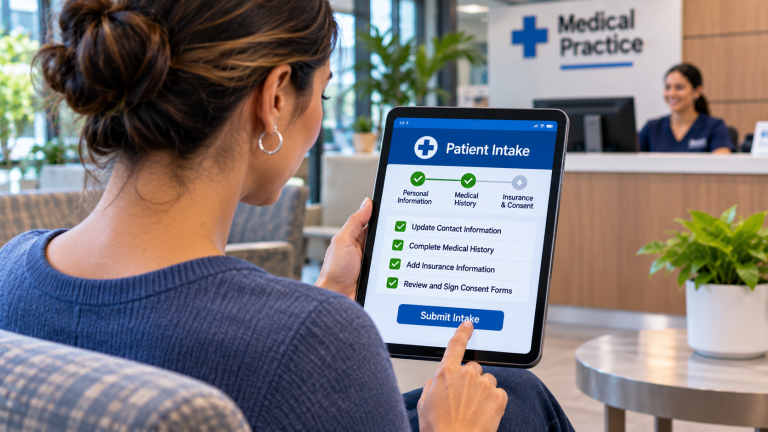
For most small healthcare practices, the best approach is to use the existing patient portal for secure clinical communication and patient record access, while selectively adding separate communication tools when they solve a specific problem the portal cannot address effectively.
A patient portal typically supports authenticated access to health information, secure messages, and other EHR-connected services. Separate tools may provide more convenient texting, telephone communication, appointment notifications, or other administrative capabilities.
For an independent medical practice with 10 to 25 employees, the decision should be based on seven factors: patient accessibility, security, communication capabilities, EHR integration, employee workflows, costs, and vendor management.
The goal is not to offer patients the largest number of communication channels. It is to make communication convenient, secure, and manageable without creating disconnected conversations or unnecessary administrative work.
Why Do Healthcare Practices Need to Compare Patient Portals and Separate Communication Tools?
Many medical practices already have a patient portal included with their electronic health record (EHR) system.
Depending on the EHR, the portal may allow patients to review certain medical information, send secure messages, request appointments, complete forms, or access billing information.
However, having a portal does not guarantee that patients will use it for every type of communication.
A patient may prefer to text the office about an appointment rather than sign in to a portal. Another patient may need to discuss a sensitive medical question that should be handled through an authenticated, secure communication channel.
For the Practice Administrator, this creates an important decision: Should the practice encourage patients to use its existing portal for most communication, or should it invest in separate tools for texting, scheduling, reminders, and other interactions?
The answer depends on what patients need to accomplish and how employees manage the resulting work.
A separate platform may improve convenience, but it can also introduce another inbox, additional security responsibilities, and another vendor relationship.
The practice should evaluate the complete communication process before adding technology.
What Is the Difference Between a Patient Portal and Separate Communication Tools?
A patient portal is generally an authenticated application connected to the practice’s EHR or another healthcare information system.
Separate communication tools are applications that provide specific capabilities outside the portal, such as business texting, automated reminders, online scheduling, or secure messaging.
The distinction is important because not every communication tool handles patient information in the same way.
| Capability | Patient Portal | Separate Communication Tools |
| Secure clinical messaging | Often supported, depending on the EHR | Depends on the platform and security model |
| Access to medical records | Common portal function | Usually limited unless specifically integrated |
| Appointment reminders | May be supported | Often a primary feature |
| Two-way texting | Varies by portal and EHR | Available through appropriate texting platforms |
| Online appointment scheduling | Varies by EHR | Available through scheduling platforms |
| Patient forms | May be supported | Available through digital intake tools |
| Authentication | Typically requires patient sign-in | Varies by communication channel |
| EHR integration | Usually native or closely connected | Must be verified |
| Employee inboxes | Often tied to EHR workflows | May require separate monitoring |
| Vendor management | Usually part of the existing EHR relationship | May introduce additional vendors |
Neither approach is automatically better in every category.
A portal may provide a more appropriate environment for sensitive clinical information, while a separate communication tool may make certain routine administrative interactions easier.
The practice should also recognize that some EHR vendors offer texting, scheduling, and reminder modules within their existing product ecosystems.
Before purchasing another platform, determine whether the desired capabilities are already available.
What 7 Factors Should a Healthcare Practice Compare?
1. Which Communication Method Is Easiest for Patients to Use?
Patient convenience is one of the strongest reasons to consider communication tools outside the portal.
A patient portal may require patients to register, remember their credentials, complete multifactor authentication, or navigate several screens before sending a message.
Those steps can be appropriate for protecting sensitive information, but they may be unnecessary for simple administrative interactions.
For example, a patient who needs to confirm an appointment may find responding to a text message easier than signing in to a portal.
However, a patient reviewing test results or discussing a sensitive medical issue may benefit from the additional protections of an authenticated portal.
The practice should evaluate accessibility for different patient populations, including patients who:
- Prefer telephone calls instead of digital communication
- Have difficulty remembering portal credentials
- Use smartphones rather than computers
- Need language or accessibility accommodations
- Have limited access to reliable internet service
- Are uncomfortable sending sensitive information by text
A communication strategy should not assume that every patient prefers the same channel.
What to evaluate: Which interactions genuinely require portal authentication, and which could be handled more conveniently through another approved communication method?
The practice should also provide a reasonable alternative for patients who cannot use a particular digital tool.
2. How Will Each Platform Protect Patient Information?
Security is a critical consideration when comparing patient portals and separate communication platforms.
Patient portals typically provide authenticated access to information maintained by the healthcare organization or its EHR provider.
Separate communication tools may use ordinary SMS, email, secure web messaging, or other technologies with different security characteristics.
For example, a texting platform may encrypt conversations stored in its application, but an ordinary SMS message delivered to a patient’s phone is not necessarily protected in the same way as a message viewed through an authenticated portal.
This distinction matters when communicating protected health information (PHI).
The practice should understand:
- What information is transmitted
- Whether messages are encrypted
- Whether patients must authenticate
- Where conversations are stored
- Who can access the information
- Whether conversations are retained
- Which third parties process the data
- How messages are deleted or exported
- What happens if a device is lost or compromised
When a vendor acts as a business associate by creating, receiving, maintaining, or transmitting PHI on behalf of a HIPAA-covered practice, an appropriate Business Associate Agreement (BAA) is required.
However, a BAA does not automatically make every communication method secure or establish HIPAA compliance.
For example, a practice may choose to send a brief appointment-related text directing the patient to a secure portal rather than placing sensitive clinical details directly in an ordinary SMS message.
The appropriate approach depends on the information, applicable requirements, and the practice’s communication policies.
What to evaluate: Can the vendor explain exactly how patient information is protected from the moment a message is created until it is received, stored, and eventually deleted?
The Practice Administrator should involve the appropriate privacy and security personnel when evaluating these questions.
3. Which Communication Capabilities Does the Practice Actually Need?
A patient portal and a separate communication tool may offer overlapping features, but their strengths can differ.
The practice should identify the communication activities it wants to improve before comparing products.
Common activities include:
- Appointment confirmations
- Cancellation and rescheduling requests
- General office questions
- Secure clinical messages
- Prescription-related requests
- Patient forms
- Billing questions
- Test result notifications
- After-hours administrative communication
Each activity may have different security, staffing, and integration requirements.
For example, an automated appointment reminder may be well suited to a texting platform.
A question involving treatment or medical advice may need to be routed through the portal or another approved clinical communication process.
A separate tool should not be purchased simply because it offers more features.
The practice should determine whether those features improve a specific workflow.
What to evaluate: Can the practice identify three to five communication problems that the proposed platform would solve better than its existing portal?
If the answer is unclear, the practice may need to review its current portal configuration and patient usage before investing in another application.
4. How Well Does the Communication Tool Integrate With the EHR?
Integration is one of the most important differences between using an existing portal and adding separate applications.
A patient portal is generally designed to work with its associated EHR environment.
A separate communication platform may require an interface or connector to exchange information with the EHR or practice management system.
Potential integration functions include:
- Matching messages to the correct patient
- Accessing approved contact information
- Recognizing communication preferences
- Updating appointment information
- Recording relevant communication activity
- Routing messages to appropriate employees
- Maintaining accurate patient records
Not every advertised integration supports all these functions.
For example, a texting platform might import patient telephone numbers from the EHR but be unable to record completed conversations or update communication preferences.
That limitation could require employees to maintain information in multiple systems.
The practice should also understand which system maintains the authoritative information.
If a patient changes a telephone number or communication preference, will the change appear in both applications?
What to evaluate: Does the separate platform have a supported integration with the practice’s exact EHR, and what information can move between the systems?
Ask the vendor to demonstrate a realistic patient communication workflow rather than simply confirming that an integration exists.
5. Will Employees Need to Monitor Multiple Inboxes?
Adding communication channels can make it easier for patients to contact the practice.
However, every new channel can create another place where messages must be monitored.
Consider a small medical practice that already receives:
- Telephone calls
- Voicemail messages
- Patient portal messages
- Emails
- Website contact requests
If the practice adds two-way texting through a separate platform, employees may now need to monitor another inbox.
Without clear responsibilities, important messages can be delayed or overlooked.
The practice should determine:
- Which employees monitor each channel
- How frequently messages are reviewed
- How messages are assigned
- When a request must be escalated
- How employees document completed work
- Whether conversations can be transferred between departments
- What happens outside business hours
- How employees identify unanswered messages
For example, a patient might send an appointment request through the portal and then text the practice because no response has arrived.
If the systems are disconnected, two employees may independently work on the same request.
Alternatively, each employee may assume the other channel is being monitored.
What to evaluate: Can the practice establish clear ownership and response procedures for every communication channel without increasing administrative confusion?
A platform that improves patient convenience but creates unmanaged employee workload may not deliver the expected benefit.
6. What Will Each Approach Cost Over Time?
A patient portal may already be included in the practice’s EHR subscription, although certain features or modules may carry additional charges.
Separate communication tools may introduce new subscription fees, integration costs, messaging charges, and ongoing support expenses.
The Practice Administrator should compare the total cost of each approach rather than looking only at monthly software pricing.
Potential expenses include:
- Portal licensing or additional modules
- Separate communication platform subscriptions
- Employee or provider licenses
- Text messaging usage charges
- EHR integration fees
- Implementation and configuration
- Employee training
- Technical support
- Ongoing administration
The practice should also consider the employee time required to manage communication across different systems.
Hypothetical Three-Year Cost Comparison
Consider a medical practice evaluating two approaches.
Option A: Expand the communication features available through its existing EHR and patient portal.
Option B: Maintain the existing portal and add a separate patient communication platform.
| Cost Category | Option A: Existing Portal | Option B: Portal + Separate Tool |
| Additional monthly software cost | $150 | $350 |
| One-time implementation | $1,000 | $2,000 |
| One-time integration | $0 | $1,500 |
| Three-year recurring cost | $5,400 | $12,600 |
| Total three-year additional cost | $6,400 | $16,100 |
These figures are hypothetical planning examples, not verified market prices or ResTech pricing. They exclude costs common to both options and assume no additional usage charges.
Under these assumptions, Option B costs $9,700 more over three years.
That difference does not necessarily make Option A the better choice.
If the separate platform significantly improves patient communication and reduces administrative work, its additional cost may be justified.
However, the practice should require evidence that the expected improvements are realistic.
What to evaluate: What additional capabilities will the practice receive for the extra cost, and how will those capabilities improve patient communication or employee efficiency?
7. How Many Vendors Will the Practice Need to Manage?
Every additional software platform creates another vendor relationship and another set of responsibilities.
The practice may need to coordinate among its EHR vendor, communication platform provider, telephone company, and IT Service Provider.
When something stops working, determining who is responsible can become difficult.
For example, suppose a patient receives an appointment reminder containing incorrect information.
The problem might originate from:
- Incorrect information in the EHR
- An integration that failed to synchronize
- An outdated message template
- A configuration error in the communication platform
- An employee workflow issue
The practice should know who investigates each possibility.
Vendor management considerations include:
- Support hours and contact methods
- Responsibility for integrations
- Security incident procedures
- Software updates
- Data ownership
- Contract terms
- Service interruptions
- Escalation between providers
- Procedures for ending the service
A separate platform may be worthwhile when it provides a meaningful capability that the existing EHR cannot deliver.
However, the additional vendor relationship should be part of the decision.
What to evaluate: Who will take responsibility for resolving problems that involve multiple systems, and will the vendors cooperate during troubleshooting?
When Should a Healthcare Practice Use Its Patient Portal, Separate Tools, or Both?
The best approach depends on the practice’s communication requirements and the capabilities of its existing systems.
| Practice Requirement | Approach Worth Evaluating First | Reason |
| Patients reviewing test results or medical records | Patient portal | Provides authenticated access within the healthcare information environment |
| Secure clinical questions | Patient portal | Often supports established clinical messaging workflows |
| Routine appointment confirmations | Existing portal or automated texting | Depends on patient preferences and available features |
| Two-way administrative texting | Separate texting tool or EHR messaging module | May offer more convenient patient communication |
| Online appointment scheduling | Existing EHR functionality first | May reduce integration complexity |
| Digital patient intake | Existing portal or specialized intake tool | Depends on forms, workflows, and integration requirements |
| Billing questions | Existing portal or approved communication platform | Depends on sensitivity and required employee access |
| After-hours administrative information | Approved automated communication tool | Can provide information without requiring continuous employee availability |
This comparison is a starting point rather than a universal recommendation.
For example, a practice whose EHR already includes reliable two-way texting may have little reason to purchase a separate messaging platform.
Another practice may have an EHR portal that handles clinical information effectively but lacks convenient administrative communication.
In that situation, a separate texting platform may complement the portal rather than replace it.
The key is to define which system handles each type of communication.
Example: How Might a 15-Employee Houston Medical Practice Choose Its Communication Tools?
Consider a hypothetical independent medical practice in Houston with 15 employees.
The practice uses an EHR that includes a patient portal.
Patients can access medical information, send secure clinical messages, and review appointment details through the portal.
However, reception employees receive frequent telephone calls from patients who want to confirm appointments, ask about office hours, or request scheduling changes.
The Practice Administrator is considering a separate two-way texting platform.
Rather than attempting to move all patient communication away from the portal, the practice evaluates a hybrid approach.
The patient portal would continue handling:
- Access to medical records and test results
- Secure clinical messages
- Sensitive patient information
- Other established EHR-connected workflows
The separate texting platform would handle:
- Routine appointment confirmations
- Administrative scheduling questions
- Office information
- Requests for an employee to call the patient
- Approved nonurgent administrative messages
The practice would establish clear rules requiring employees to redirect clinical questions received by text into the appropriate clinical communication workflow.
Before implementation, the Practice Administrator would verify security safeguards, patient communication preferences, EHR integration, employee responsibilities, and total cost.
The practice could then conduct a 30-day pilot to evaluate whether the new platform reduces routine telephone calls without creating significant additional work.
This is a hypothetical example, not an actual ResTech client engagement or a prediction of results.
The lesson is that the practice does not need to choose between its portal and every other communication tool. It needs to assign each communication channel a clear purpose.
How Can a Practice Avoid Creating Too Many Communication Channels?
One of the biggest risks of adding communication tools is fragmentation.
Patients may appreciate having several ways to contact the office, but employees need a consistent process for handling those requests.
Before implementing another platform, the Practice Administrator should complete five steps.
Step 1: Inventory Existing Communication Channels
Document every way patients currently contact the practice.
Include the portal, telephone system, voicemail, email, website forms, texting services, and other applications.
Identify which employees monitor each channel.
Step 2: Assign Each Channel a Specific Purpose
Determine which types of communication belong in each system.
For example, routine appointment confirmations might be handled through texting, while clinical questions remain in the portal.
Document how employees should respond when patients use the wrong channel.
Step 3: Establish Ownership and Escalation
Every incoming message should have a defined process for review and response.
Employees should know when a request can be handled administratively and when it requires clinical personnel.
The practice should also establish appropriate after-hours instructions and avoid implying that a channel is continuously monitored when it is not.
Step 4: Verify Integration and Documentation
Determine whether information must move between systems.
For example, a cancellation received through text should not leave an appointment active in the EHR because the two platforms failed to synchronize.
Similarly, messages requiring clinical documentation should follow the practice’s approved recordkeeping procedures.
Step 5: Measure the Results
Evaluate whether the new communication arrangement improves operations.
Useful measurements include:
| Measurement | What It Helps Determine |
| Portal usage | Whether patients use the existing portal |
| Text message volume | How frequently patients use the additional channel |
| Response time | How quickly employees handle incoming requests |
| Unanswered messages | Whether conversations are being overlooked |
| Routine telephone call volume | Whether alternative channels reduce calls |
| Employee handling time | Whether communication is becoming more efficient |
| Duplicate requests | Whether patients are contacting the practice through multiple channels for the same issue |
The practice should compare results against its baseline before deciding whether to expand the new platform.
What Should a Healthcare Practice Verify Before Purchasing Another Communication Tool?
Before signing an agreement, use this checklist to evaluate the proposed platform.
- Existing functionality: Have we confirmed that our EHR or patient portal cannot already meet the requirement?
- Patient experience: Will the new tool make a specific communication task easier?
- Security: Does the platform provide appropriate safeguards for the information it handles?
- Communication preferences: Can the practice respect patient preferences and applicable consent requirements?
- EHR integration: Can relevant information move accurately between systems?
- Employee workflows: Who will monitor, assign, and respond to messages?
- Documentation: How will conversations requiring retention or clinical documentation be handled?
- Vendor support: Who investigates technical problems involving multiple platforms?
- Total cost: What are the implementation, integration, subscription, and usage expenses?
- Exit planning: Can the practice retrieve its information and discontinue the service without losing required records?
The practice should ask vendors to demonstrate the actual workflows it wants to improve.
A feature list is not a substitute for confirming that the software will function correctly in the practice’s environment.
Frequently Asked Questions
Can a Patient Texting Platform Replace a Patient Portal?
Generally, no.
A texting platform may improve routine communication, but it does not necessarily provide authenticated access to medical records, test results, secure clinical messages, and other portal capabilities.
A practice should evaluate the functions separately rather than assume one platform can replace the other.
Is a Patient Portal Automatically More Secure Than Text Messaging?
Not automatically.
An appropriately configured patient portal generally provides authenticated access and security controls designed for healthcare information.
However, actual security depends on the vendor, configuration, access controls, and how employees and patients use the system.
Ordinary SMS does not provide the same protections as authenticated secure messaging. A healthcare texting platform may also offer secure messaging features that differ from conventional SMS.
The practice should evaluate the specific communication method rather than rely on the product category alone.
Can a Healthcare Practice Use Both a Patient Portal and Two-Way Texting?
Yes, many practices may benefit from using different communication channels for different purposes.
For example, a practice might use texting for routine administrative communication and its patient portal for secure clinical messages and access to health information.
The important requirements are clear workflows, appropriate safeguards, and defined employee responsibilities.
Does Every Patient Communication Need to Be Stored in the EHR?
Not necessarily.
Documentation and retention requirements depend on the nature of the communication, applicable laws, and the practice’s policies.
A routine question about parking may have different documentation implications from a message involving clinical advice or a treatment concern.
The practice should establish procedures for identifying communications that require inclusion in the medical record.
What If Patients Refuse to Use the Patient Portal?
The practice should evaluate reasonable alternative communication methods while maintaining appropriate privacy and security safeguards.
Some patients may prefer telephone calls, written communication, or other approved methods.
A communication strategy should account for patient needs rather than depend entirely on portal adoption.
Should a Practice Buy a Separate Communication Platform If Its EHR Already Includes Texting?
Not necessarily.
The practice should first test the EHR’s existing texting capabilities.
A separate platform may be justified if it provides meaningful improvements in usability, workflows, integration, or administration.
However, adding another system without a clear operational benefit can increase costs and complexity.
Final Thoughts
A patient portal and separate communication tools do not have to compete with one another.
For many independent healthcare practices, the strongest approach is to preserve the portal for secure clinical communication and patient information while selectively using other tools for convenient administrative interactions.
The decision should be based on patient needs, security requirements, EHR integration, employee workload, and the total cost of managing multiple systems.
Before purchasing another platform, review what the existing EHR already provides and identify the specific communication problems that remain unresolved.
The right combination of tools should make communication easier for patients without making it harder for employees to manage.
About ResTech Solutions
ResTech Solutions helps independent healthcare practices throughout the Greater Houston area manage technology, cybersecurity, Microsoft 365, networks, vendor relationships, and long-term technology planning.
Founded in 2011, ResTech takes a security-first, education-focused approach to helping small businesses make informed technology decisions.
When a healthcare practice evaluates patient portals, texting platforms, scheduling applications, or other communication technologies, ResTech can help assess the supporting technology environment, identify integration dependencies, review cybersecurity considerations, and clarify responsibilities between software vendors and other technology providers.
Our role is to help practices understand the technical requirements and risks surrounding their communication decisions, while software vendors remain responsible for their respective applications and practice leadership determines which workflows best support patients and employees.
If your healthcare practice is considering additional patient communication tools or struggling to manage multiple systems, book a 10-minute discovery call to discuss your existing technology environment and identify the questions worth addressing before making another investment.
About the Author